
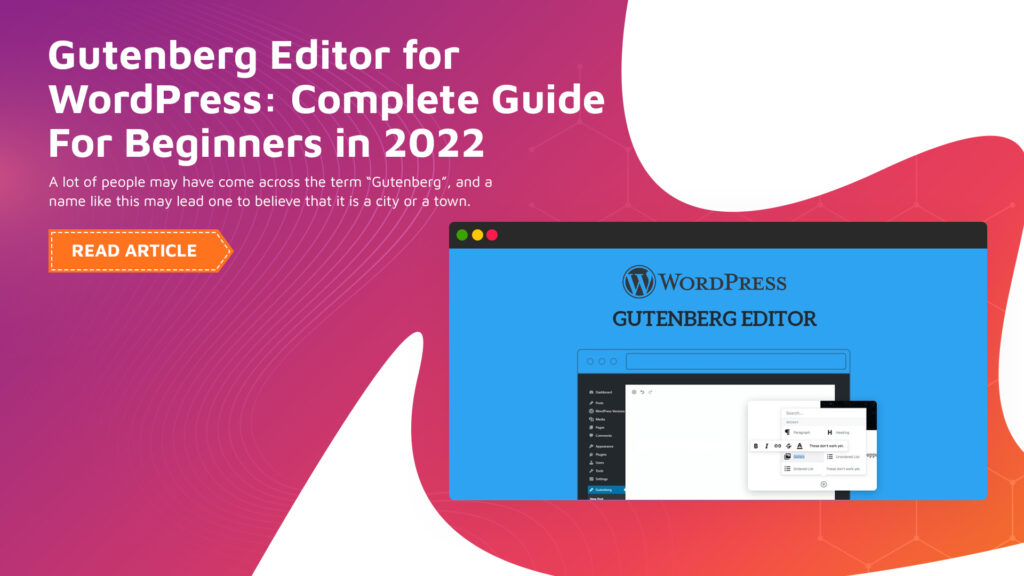
Complete Guide to Gutenberg block editor
The complete guide to the Gutenberg block editor can be considered a necessity for any contemporary site owner. This is a tool that you need to master to establish a professional and expedited digital presence in the current time.
Learning how to use this block-based system will enable you to make a beautiful layout without any complicated code. This tutorial will show you how the editor can be used to enhance your general digital strategy.
It is most crucial to use a current CMS Website Design method in order to succeed in 2026. This platform will enable you to control your content with complete ease and high efficiency.
The block editor has become the default tool when installing WordPress worldwide. You will be able to create a beautiful site that looks good on all mobile devices.
Understanding the Gutenberg Block Editor
The Complete Guide to Gutenberg block editor starts with its history and essence. It has substituted the ancient classic editor and brought web design more visually and interactively.
This is a tool that is based on an individual block to process text, images, and other rich media files. It is the core of the contemporary WordPress experience for any kind of user.
WordPress, in its turn, implemented this system in order to make the front-end web development easier. You do not have to be a professional coder in order to create a site.
All the content is within its own and highly adaptable containers. This will provide you with a clean, organized, and extremely easy-to-update structure of your site.
Why Modern Web Design Needs Blocks
Contemporary websites are to be flexible to adapt to the evolving trends and expectations of the users. Blocks enable you to drag items around your page with a single click.
The visual approach will help you test various layouts for your target audience. You have a real-time view of your changes prior to clicking on the publish button.
You ought to contract professionals in site maintenance to maintain the smooth running of your blocks. They take care that all of your custom patterns and plugins are compatible and safe, too.
A block system in a good state does not allow technical mistakes, which can be frustrating to your online visitors. Frequent updates will ensure that your site is fast and highly dependable in the long term.
Setting Up Your First Gutenberg Page
It is easy to start a new page after becoming familiar with the essential interface layout. It is as simple as clicking the “Add New” button in your WordPress dashboard, and you are on your way.
The editor gives you a blank sheet on which you can begin typing your grand title. Next, it is possible to insert your first paragraph or image with the aid of the block inserter.
The Agile Store Locator block also allows you to add maps without any difficulties. This particular tool assists customers in locating your physical shop locations completely accurately.
Such dynamic content blocks are useful in enhancing the usefulness of your business site. It also gives users more pleasure in seeking local shopping information in nearby areas.
Exploring the Core Block Library
The basic library has it all to create a typical web page. There will be paragraph blocks, lists, pullquotes, and image galleries of superior quality.
Layout blocks, such as columns and groups, are also present to assist in organizing content. There is a unique styling and color choice for each block.
The proper search engine optimization begins with the way you organize these core library blocks. You should use the right heading tags to make your page understood by the search engine in terms of its major topics.
By setting your block settings to optimum, you will get more organic traffic to your new site. This will be a strategy to guarantee that your content is high on the first page of the search results list.
Mastering the Block Toolbar Settings
Each block has a toolbar that is displayed when you click on the element. With this toolbar, you can modify the text alignment or add some important links to the web page.
You can also infuse a basic paragraph into a heading or a list. This flexibility enables editing your content in a very rapid and painless manner today.
These are small yet strong settings as emphasized in The Complete Guide to Gutenberg block editor. It now takes seconds to make your text bold or to change the font style.
The knowledge of these icons will save much time when you are designing. It places you in complete control of the appearance of every page.
Creating Layouts with Columns and Groups
Columns enable you to position content next to each other to have a professional touch, like a magazine. You have the option to make a variety of width ratios so that you can have your own design that best fits.
Forming blocks also helps you to use one background colour on several items. This style uses separate lines that direct the eye movement of the reader up and down the page.
The front-end web development includes the usage of these layout tools. It can support reactive designs that are ideal on mobile phones and desktops.
Your clients will like the clean and neat look of your own designs. A good design also creates instant credibility and makes individuals spend more time on your site.
The Power of WordPress Block Patterns
Block patterns are ready-made designs that you can add with the help of a single click. They spared you the bother of creating intricate sections out of bare bones nowadays.
There are patterns of headings, footings, and even full-page call-to-action blocks. This aspect renders the Complete Guide to Gutenberg block editor highly thrilling.
Patterns can be used to keep a steady appearance on your entire business professional site. They are the ideal choice for users who seek an upscale appearance without the hassle.
You are even allowed to make your own custom patterns that you can reuse on other pages. Its efficiency is the reason why most people will prefer the block editor to the old tools.
Managing Reusable Blocks for Efficiency
Reusable blocks will enable you to store a particular block that will be used at a later date. When you modify the original block, all of your site instances automatically update.
It is ideal to add a standard contact form or a special offer. It does not have to manually edit dozens of pages at a time.
The task of updating these blocks regularly is an undertaking of professionals in maintaining websites. They make sure that your global items are working and they appear beautiful on every page.
Your site architecture is very clean and fast, keeping your library of blocks reusable. It is an intelligent manner of dealing with changing business information or links.
Comparing Gutenberg to the Classic Editor
The traditional editor was like an ordinary word processor with very little functionality. On the contrary, the Gutenberg system seems a complete page builder to all.
As opposed to the old editor that was short-coded, the new one involves visual content blocks. Such a change transforms the Complete Guide to Gutenberg block editor into a significant improvement.
Block editor provides users with a far easier CMS Website Design experience. It offers increased creative freedom without having to learn the complex artistic technical coding.
The majority of the developers are in agreement that the block system is the future of WordPress. It is more secure, faster, and it provides a much better long-term support to the users.
Optimizing Your Blocks for SEO
Every block gives you a chance to increase your general site search ratings. It is possible to add alt text to pictures and include keywords in headings.
After the Complete Guide to Gutenberg block editor, you will be ranked higher. Using blocks properly would make your content easier to read by people and robots.
A strategy for the fast loading of blocks is essential in Search Engine Optimization. It is advisable not to use too many heavy blocks, which will make the page slow down.
Quick pages please your consumers and can make you a winner in the traffic race. The most appropriate line to digital success is a lean and streamlined block structure.
Best Plugins for Gutenberg Extensions
The authority of the editor can be extended by adding specialized block collection extensions. These extensions provide the addition of new functionalities such as pricing tables, testimonials, and advanced post grids.
The most popular ones are Spectra, Kadence blocks, and the official Gutenberg update. These tools offer you increased flexibility when it comes to the design of your site (professional or personal).
To enhance your customer service experience, you can add a tool such as Agile Store Locator. It enables individuals to locate you without any problem through a familiar map interface.
Select your plugins carefully so as not to slow down the overall performance of your site. Install only those tools that bring real value to your online visitors and goals.
Troubleshooting Common Gutenberg Issues
In some cases, blocks may not display properly as a result of theme or plugin conflicts. In case one of the blocks crashes, test by changing to a default WordPress theme.
With the block editor, small display problems may be resolved by clearing your site cache. The best solution to prevent such technical bugs is to update your software.
In case of repetitive problems, get assistance from professionals in site maintenance. They can find the root cause of the issue and correct it quickly.
A healthy editor will make sure that you are able to keep producing content with no hiccups. It will take good care of your digital platform to ensure it is running at its maximum capacity.
Conclusion
The Complete Guide to Gutenberg block editor demonstrates that any person is able to create a site. The tool offers the most balanced combination of ease and strong design functionality in modern times.
It is essential to become familiar with the basic blocks, then proceed to more advanced third-party layout blocks. The greater the practice, the less difficult it will be to develop great pages.
Search Engine Optimization and taking care of the site regularly are the best methods to invest time in. Your website is a breathing tool that must be given a continuous focus to develop.
The future of web design is block-based and highly convenient to everyone. It is time to start creating your dream site with the power of Gutenberg blocks.